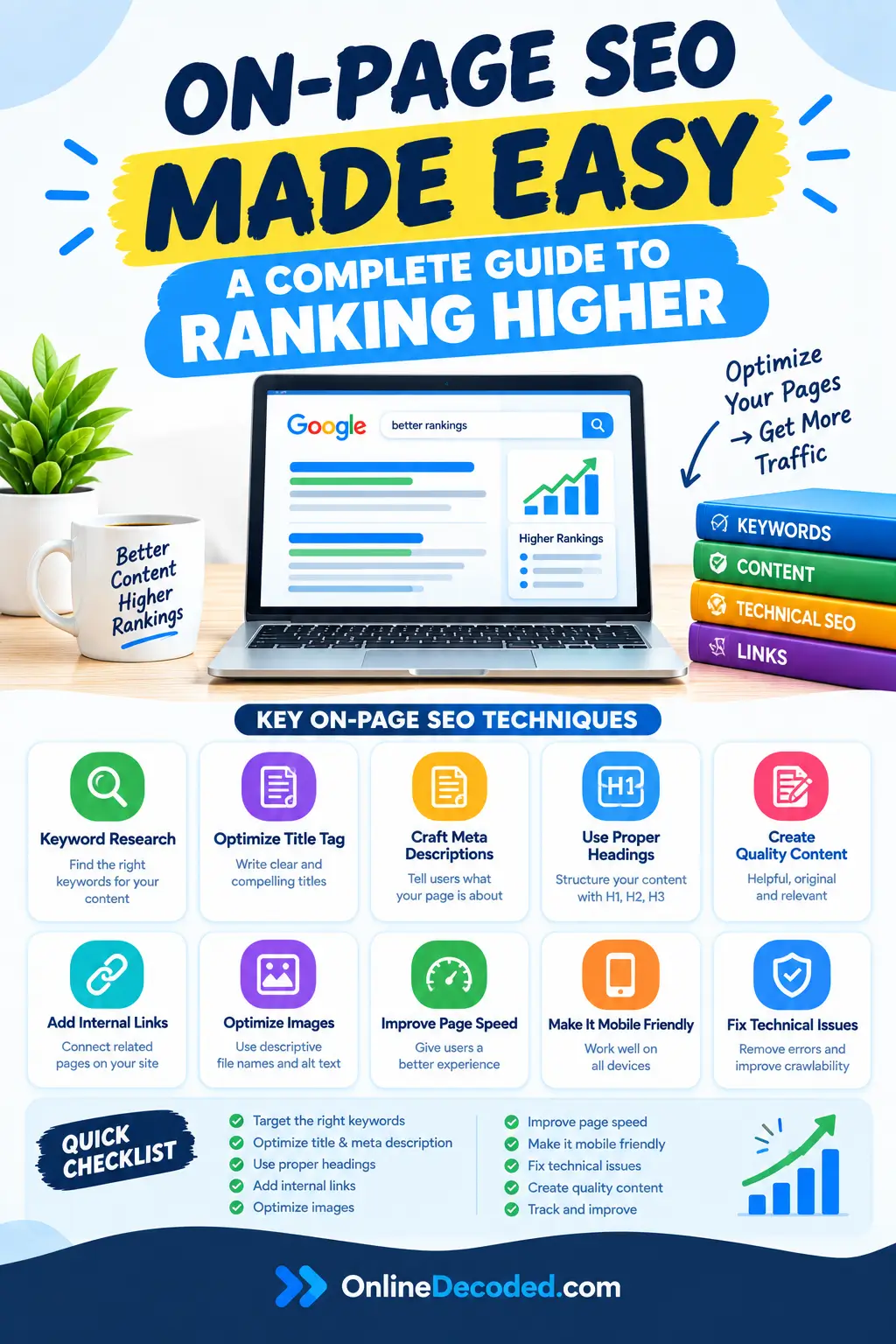
Searching for the best On-page SEO guide?
Check out this post for the best On-Page SEO strategies that align with the latest Google search guidelines.
- What Is On-Page SEO?
- Best On-Page SEO Techniques To Rank First
- Match Search Intent Before You Write Anything
- Optimise Your Page Title
- Create a Clear Heading Structure
- Optimize Your URL
- Write Better Content for On-Page SEO
- Use Keywords Naturally
- Write a Useful Meta Description
- Add Helpful Internal Links
- Use External Links the Right Way
- Image SEO and Page Speed
- Optimise Your Content for Featured Snippets and AI Search
- Improve Page Experience
- Add Structured Data When It Makes Sense
- Monitor Your On-Page SEO After Publishing
- Common On-Page SEO Mistakes to Avoid
- On-Page SEO Checklist
On-page SEO isn’t about finding hidden tricks that guarantee first-place rankings.
Google itself has said no secret automatically ranks a site first.
Instead, modern on-page SEO is about making it easy for people to understand your content and making it easy for search engines to understand what your page offers.
This guide covers the complete on-page optimisation system.
From understanding search intent through technical implementation and performance monitoring, it replaces outdated checklists with a practical, modern approach grounded in Google’s current Search documentation.
What Is On-Page SEO?
On-page SEO refers to the elements you control on your website: content quality, page structure, headlines, images, URLs, page speed, and technical implementation.
It’s distinct from off-page SEO (backlinks, citations, social signals), but both matter for rankings.
Modern on-page SEO has evolved significantly. Five years ago, on-page SEO meant targeting keywords and hitting word counts.
Today, it means understanding what searchers actually want, providing comprehensive answers, making content accessible to both users and search engines, and ensuring pages load quickly and display properly on all devices.
Google’s current search systems evaluate whether your page genuinely solves what the searcher is looking for.
Every on-page element you optimise either supports or undermines that core evaluation.
Best On-Page SEO Techniques To Rank First

Match Search Intent Before You Write Anything
Identify why someone is searching before optimising anything.
- Educational intent (“how to optimise images“) wants a process explained.
- Transactional intent (“backlinks checker tools“) wants software.
- Navigational intent (“image optimisation” alone) may want a specific known resource.
Check the current top-ranking pages for your target query: what format ranks (guide, comparison, tool review), what length, what sections, what they miss.
The gaps you find are your opportunity: original testing, data, or angles no one else covers.
Then write to satisfy intent completely, with no filler. A useful 1,200-word article beats a padded 3,000-word one.
Optimise Your Page Title
Write a title that clearly states what the page delivers. “How to Optimise Images for Better SEO and Faster Page Load Times” beats “Image Optimisation Guide.”
Include your primary topic naturally; don’t force placement or repeat it (“Image Optimisation for Image Optimisation SEO Image Optimisation” is stuffing).
Google explicitly warns against keyword-stuffed and misleading titles.
Make it worth clicking: a benefit-driven title outperforms a generic one at the same ranking position.
Keep titles unique across the site; duplicates confuse search engines about which page covers what.
Create a Clear Heading Structure
One H1 per page, matching the main topic.
H2s for major sections, H3/H4 for subsections beneath them.
Test: if someone only read the headings, would they understand the article’s structure? If not, fix it.
Don’t force keywords into them; it reads as manipulative to both readers and search engines.
Optimize Your URL
URLs communicate page topic to both search engines and humans. Descriptive URLs are better than generic ones.
Keep URLs simple and descriptive. /image-optimization-guide/ is clearer than /blog/post-12847/.
Use hyphens to separate words, not underscores or other characters. Keep URLs readable.
Include relevant words when natural.
A URL containing your topic (/on-page-seo-guide/) helps both search engines and users understand what the page covers. But don’t turn URLs into keyword stuffing.
/on-page-seo-on-page-seo-guide-on-page-seo/ is worse than the simpler version.
Avoid unnecessary parameters, numbers, and session IDs. Clean URLs are easier to share and less likely to cause duplication issues.
Don’t change existing URLs without a reason. Changing URLs breaks existing links.
If you must change a URL, set up a 301 permanent redirect from the old URL to the new URL to preserve link value.
Write Better Content for On-Page SEO
Answer the main question in the first paragraph or section. Don’t bury it in context.
Write in natural language, not inflated jargon.
Add first-hand experience and data where you have it: “I tested compression on 50 images, and WebP cut file size by 28% on average” beats generic advice.
Include original information like research, testing, or perspectives competitors don’t cover. This is what differentiates a page from dozens of similar ones.
Address related questions a reader on this topic would naturally have. Cut anything that doesn’t serve the reader. No padding, no filler intros.
There’s no ideal word count. Cover the topic fully, then stop.
Check out our ultimate guide on how to write a blog post that ranks easily on Google.
Use Keywords Naturally
Keyword research identifies what people search for. But implementation should be natural, not forced.
Choose a primary topic for each page. This is the main keyword or topic phrase your page targets.
For this article, it’s “on-page SEO.”
Choose one primary topic per page. Use related terms and subtopics naturally. Use the vocabulary a knowledgeable person would actually use, not a synonym list.
Never force exact-match repetition (“on-page SEO techniques for on-page SEO optimisation“). Search engines recognise this as manipulation.
LSI keywords are not a real Google ranking factor. This is an outdated concept. Cover related concepts because they’re relevant, not by working through an “LSI keyword” list.
Write a Useful Meta Description
Meta descriptions are the snippets that appear beneath your title in search results. They serve one primary purpose: getting searchers to click your result.
Meta descriptions aren’t a direct ranking factor.
Google may rewrite them with its own generated snippet regardless of what you write.
State clearly what the page delivers and why it’s worth the click. Make every description unique across the site.
No fixed character limit. Google doesn’t publish one, and display varies by device. Write for clarity, not a character count.
Add Helpful Internal Links
Internal links serve readers by connecting related content and serve search engines by clarifying site structure and distributing authority.
Link to genuinely related pages using descriptive anchor text (“learn how to implement responsive images,” not “click here“).
Interlink topically related articles to build a coherent cluster. This signals comprehensive topic coverage to search engines.
Link from your highest-traffic pages to important pages that need more visibility.
Find and fix broken links. Check periodically for links pointing to deleted pages or pages giving 404 errors.
Fix these by updating links to current pages or redirecting the deleted page to a relevant alternative.
Use External Links the Right Way
External links tell search engines what you cite as authoritative on a topic. They also provide readers with additional resources.
Cite statistics and research. Back factual claims with sources. “According to a 2026 study from [Source], image optimisation reduced page load time by 28% on average” is stronger than “Image optimisation makes pages faster.”
Avoid irrelevant external links. Every link should serve readers or credibility. Random links to unrelated sites look manipulative and provide no value.
Don’t add outbound links just for SEO. The ranking benefit of outbound links is minimal.
Add links because they help readers understand context or access sources. If adding links feels forced, don’t.
Image SEO and Page Speed
Images affect discoverability, accessibility, and page speed, which is itself a ranking factor via Core Web Vitals.
Filenames
rename descriptively before upload (wordpress-image-optimization-settings.jpg, not IMG_9847.jpg). Hyphens, lowercase, concise. This is a light signal but a real one.
Alt text
Describes the image for screen readers and search engines.
Be specific:
Bad: alt=”image optimisation image SEO image settings image guide“
Good: alt=”WordPress image optimisation checklist showing compression settings“
Google explicitly warns against keyword-stuffed alt attributes. Purely decorative images should use alt=””.
Size and format
Resize to actual display dimensions before upload. Don’t rely on the browser or CMS to shrink a 4000×3000px image.
Compress the image. Most images can shrink 50-80% with no visible quality loss (ImageOptim, TinyPNG, or your CDN’s optimiser).
- JPEG – photographs
- PNG – graphics needing transparency
- WebP – smaller than JPEG at equal quality, use as primary format with a JPEG fallback
- AVIF – even better compression, growing support, use as progressive enhancement
- SVG – logos/icons, scalable, tiny file size
Responsive images
Responsive image implementations ensure different screen sizes receive appropriately sized images. This prevents serving massive images to mobile devices.
Use srcset to provide multiple resolution options:
<img src=”image-small.webp”
srcset=”image-small.webp 600w, image-medium.webp 1200w, image-large.webp 2000w”
sizes=”(max-width: 600px) 100vw, (max-width: 1200px) 50vw, 33vw”
alt=”Descriptive alt text”>
The sizes attribute tells browsers which image width to download for different screen sizes. This ensures mobile devices don’t download desktop-size images.
Use the <picture> element for format variations:
<picture>
<source type=”image/webp” srcset=”image.webp”>
<source type=”image/jpeg” srcset=”image.jpg”>
<img src=”image.jpg” alt=”Alt text”>
</picture>
Lazy loading
Lazy loading defers loading images until users scroll near them. This speeds up initial page load. Use the native HTML loading=”lazy” attribute for non-critical images:
<img src=”image.jpg” loading=”lazy” alt=”Alt text”>
Important: Don’t lazy-load the largest image above the fold (the main image users see immediately). This image impacts Largest Contentful Paint (LCP), a Core Web Vitals metric. Lazy-loading it actually slows initial page load. Only lazy-load images below the fold.
Incorrectly implemented lazy loading can prevent Google from seeing content, so verify Google can crawl lazy-loaded images through Search Console.
Check out: Best Image Optimisation Plugins
Image-driven Core Web Vitals
- LCP – usually your largest visible image. Optimise this one first; it has the biggest impact on your speed score.
- CLS – set explicit width/height (or CSS aspect-ratio) so images don’t shift layout as they load.
- INP – poor image implementation can also hurt interaction responsiveness.
Other image details: place images near the content they illustrate; use captions only when they add real context (no SEO value otherwise); submit an image sitemap on large image-heavy sites; set a preferred sharing image via og: image and twitter: image.
Optimise Your Content for Featured Snippets and AI Search
Give a clear, direct answer early. A definition or one-paragraph answer up front increases snippet/AI-summary eligibility.
Use descriptive headings so Google can extract the relevant section cleanly.
Original research, testing, and first-hand experience are favoured over generic rehashes. Pages saying the same thing as 100 others are unlikely to be selected.
Back claims with cited evidence, not vague statements.
Improve Page Experience
- Speed: minimise CSS/JS, enable compression, use a CDN, target under 3 seconds on mobile.
- Core Web Vitals (LCP, CLS, INP): all are ranking factors . Monitor in Search Console; fix images first, then JS/server response/caching.
- Mobile-friendliness: responsive layout, readable text without zooming, adequately sized tap targets. Non-negotiable under mobile-first indexing.
- Interstitials: pop-ups blocking content immediately on load hurt rankings. Cookie consent, login walls, and age verification are fine; ads or overlays covering the article are not.
- Readability: sufficient font size, line spacing, contrast; short paragraphs; lists and white space.
- Accessibility: semantic HTML, alt text, colour contrast, keyboard navigation. This overlaps directly with SEO best practices.
Add Structured Data When It Makes Sense
Structured data (schema.org markup) helps Google understand page content and can enable certain search features.
Article structured data helps Google understand and display articles in search results. Apply this to blog posts:
{
“@context”: “https://schema.org“,
“@type”: “Article”,
“headline”: “On-Page SEO: The Complete Guide”,
“author”: {“@type”: “Person”, “name”: “Author Name”},
“datePublished”: “2026-01-15”,
“dateModified”: “2026-01-20”
}
Monitor Your On-Page SEO After Publishing
Publishing isn’t the end. Monitoring reveals opportunities to improve and identify problems.
Use Google Search Console. See which queries your page appears for, impression counts, click-through rates, and average ranking position. Search Console reveals whether your content matches what searchers are actually looking for.
Monitor impressions. If your page receives many impressions but few clicks, your title or meta description might not appeal to searchers. A/B test different titles or descriptions.
Monitor click-through rate. CTR varies by ranking position. Position 1 typically gets 25-30% CTR; position 5 might get 3-5%. If your CTR is well below the position average, your title or description needs improvement.
Find new search queries. Search Console shows queries bringing traffic. Some might be unexpected. These reveal searcher interests you didn’t optimise for directly. Consider expanding content to address these queries.
Identify pages losing traffic. Sudden traffic drops indicate ranking changes, content quality issues, or technical problems. Investigate quickly.
Improve underperforming sections. Analyse user behaviour: where do readers scroll to? Where do they leave? Underperforming sections might need expansion, clarification, or restructuring.
Update outdated information. Set calendar reminders to review articles annually. Update examples, statistics, tool recommendations, and features that have changed. Google rewards fresh, current content.
Check out: Complete SEO Guide
Common On-Page SEO Mistakes to Avoid
- Keyword stuffing in titles, headings, body, or alt text
- Chasing a minimum word count instead of complete topic coverage
- Treating “LSI keywords” as a real tactic
- Generic content indistinguishable from every other article on the topic
- Uploading unresized, uncompressed images
- Ignoring internal linking
- Misleading titles that overpromise
- Changing the “last updated” date without actually updating content
On-Page SEO Checklist
Before publishing or promoting a page, verify:
- Search intent identified and matched
- Unique, descriptive title
- One clear H1
- Logical H2/H3 structure
- Descriptive URL
- Primary topic covered naturally
- Related questions answered
- Original information included
- Filler removed
- Internal links added (2-3)
- Useful external sources cited
- High-quality, relevant images included
- Images with descriptive filenames
- Helpful alt text on all images
- Images compressed and modern format
- Responsive images implemented
- Lazy loading implemented for below-the-fold images
- Above-fold images not lazy-loaded
- Canonical tag correct
- Mobile experience optimised
- Core Web Vitals optimised
- Page load time under 3 seconds
- Structured data validated where applicable
- Search Console monitoring configured
Final words
Modern on-page SEO isn’t about finding tricks or hitting specific metrics. It’s about making it easy for people to understand your content and for search engines to understand what your page offers.
Focus on these fundamentals:
- Understand what searchers want and build content answering their questions thoroughly
- Write naturally and clearly for human readers, not algorithms
- Organise logically with clear headings and structure
- Optimise images for both discoverability and performance
- Build internal link structure clarifying your site’s topic organisation
- Ensure pages load quickly and work well on mobile devices
- Monitor performance and update based on what’s working
On-page optimisation is foundational. Do it well, and it multiplies the impact of your backlinks, content quality, and domain authority. Neglect it, and even great content and backlinks underperform.
The pages ranking at the top combine excellent on-page optimisation with strong backlinks and genuine expertise. Start with on-page fundamentals. Build from there.